A cool new Do Not Disturb feature on iPhone that's perfect for parents
April 16, 2019•1 min read
We're big fans of the Do Not Disturb feature on iPhone, which, if you're not familiar, allows you to temporarily block notifications (including texts and calls) with lots of customization too. As you can probably guess, it's perfect for meetings, dinners, or pretty much any time you need a break from people finding you.
Related: 8 ways to make your phone less distracting without turning it off
Related: 8 smart ways to use your iPhone Control Center to make your life easier
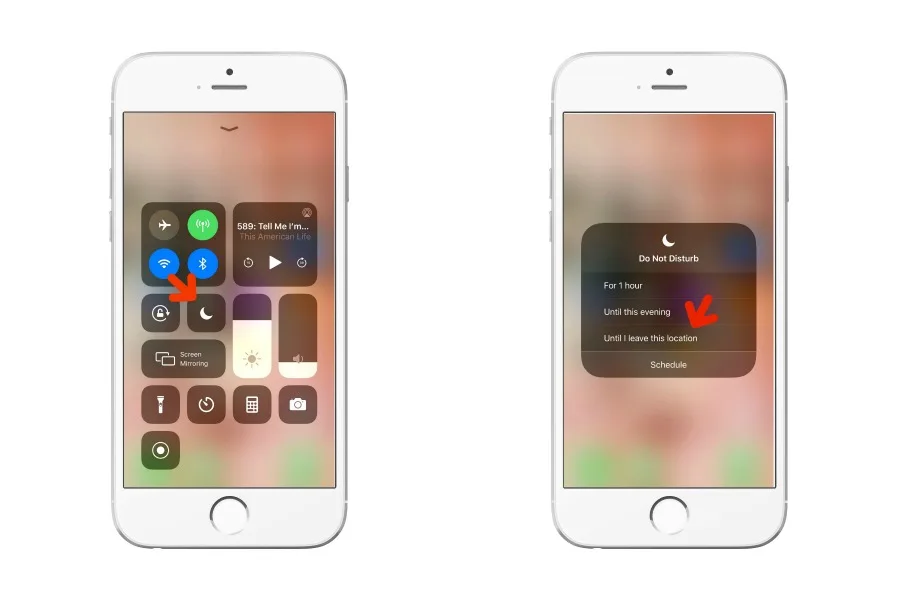
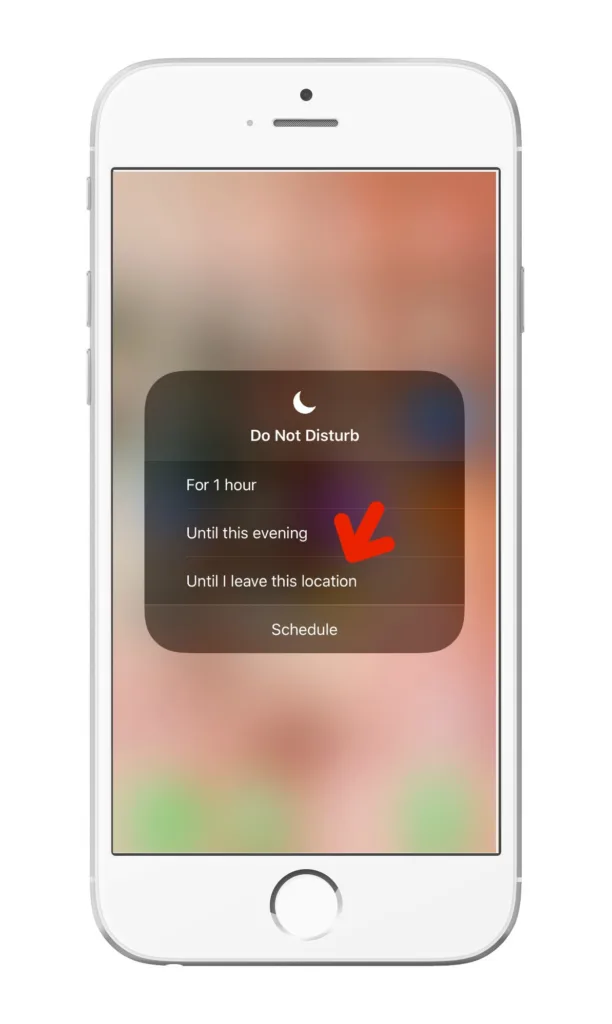
Well, with iOS 12, Apple added a cool new feature to Do Not Disturb that makes it even more useful, especially for parents. If you hardpress the Do Not Disturb icon on your Control Center (swipe up) you'll get a little pop-up menu, that allows you to turn on Do Not Disturb until you leave your current location. So, instead of having to go into your phone and turning it on and off depending on where you are and what you're doing, your iPhone will do it for you. So, if you're at the playground with your kids, a soccer game, a ballet performance, you get the idea, with a simple click, your iPhone will turn off your notifications and then automatically turn them back on when you leave. Awesome!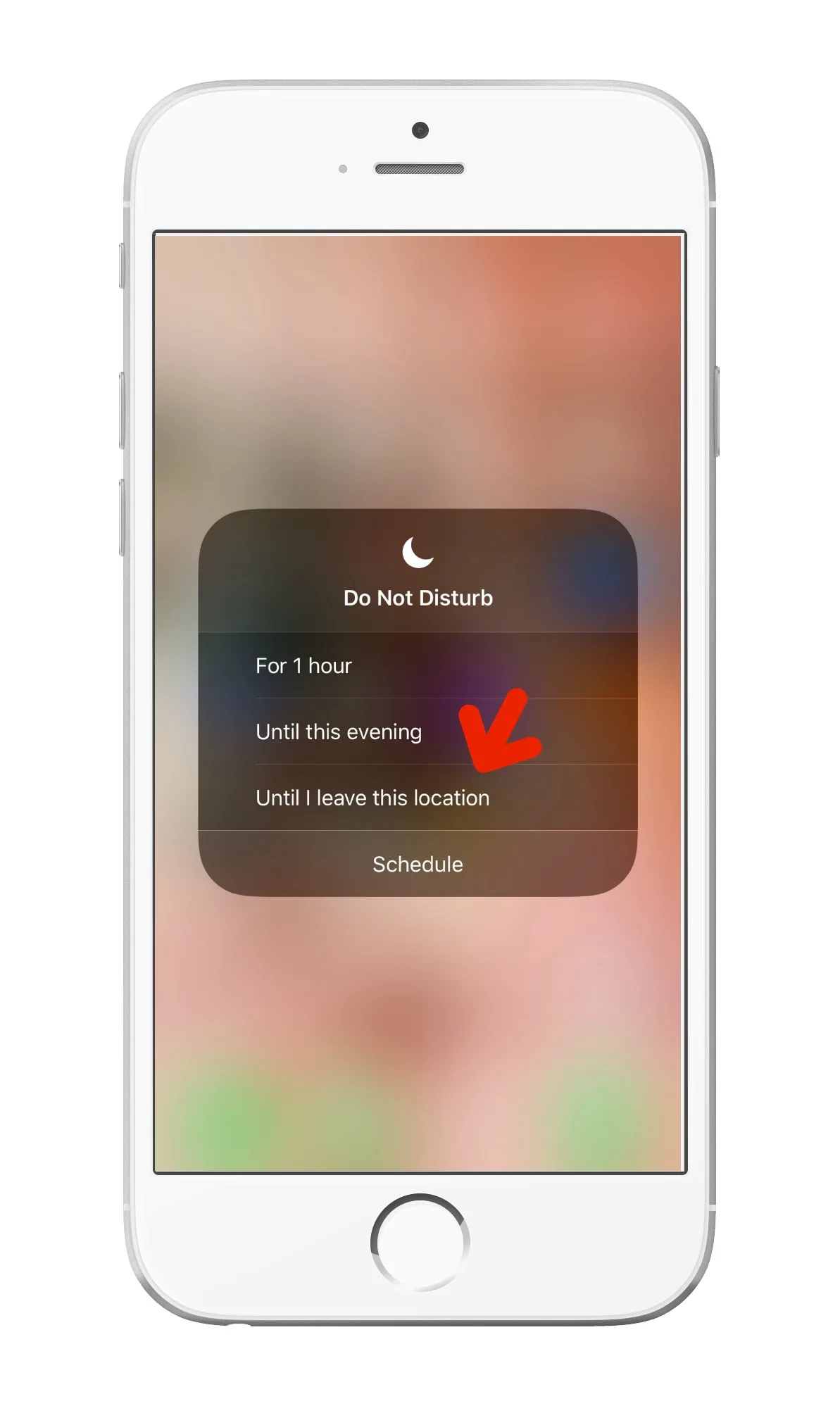
Note: This is imported sample content. Original source.