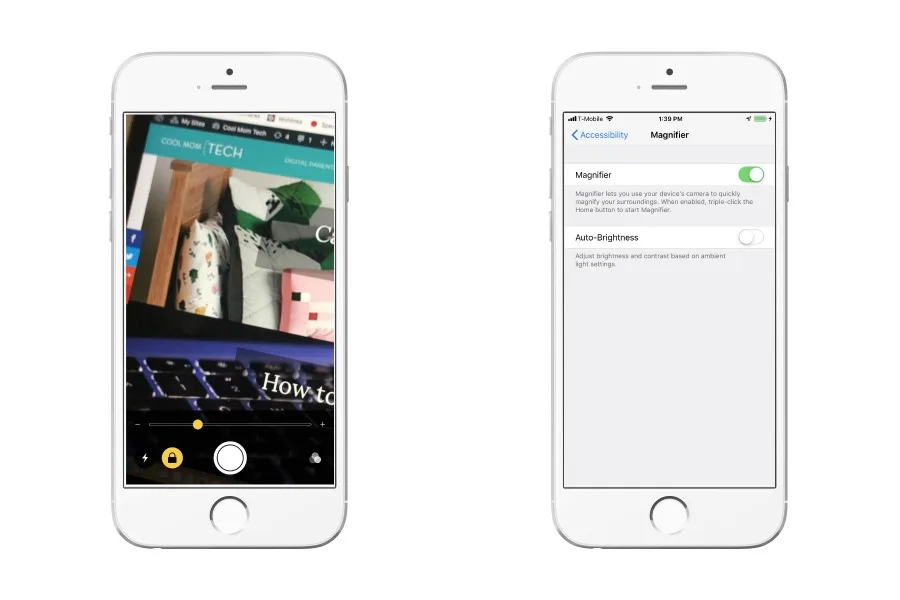
For those of us ladies who are now of reading glasses age, I have a pleasant surprise if you happen to be an iPhone owner. You might not know that the iPhone actually has a magnifier feature that can help you in case of a reading glasses emergency. And it’s even got a built in light, too.
Related: 5 things you should know before buying glasses

Related: A very cool iPhone feature you might not know about
You’ll need to turn your magnifier on before you can use it, so head over to General > Accessibility > Magnifier. Then, you’ll hit your home button three times in rapid succession. This is how you’ll access the magnifier when you want to use it.
Once you’ve got it open, you’ll notice you can lock the focus, as well as turn on the flash (so perfect for menu reading in dark restaurants), plus add filters/
If you’ve been using your camera to help you in times you’ve forgotten your reading glasses, that’s cool too, but this is a totally different feature that actually functions waaaaay better than your camera.


Leave a Reply