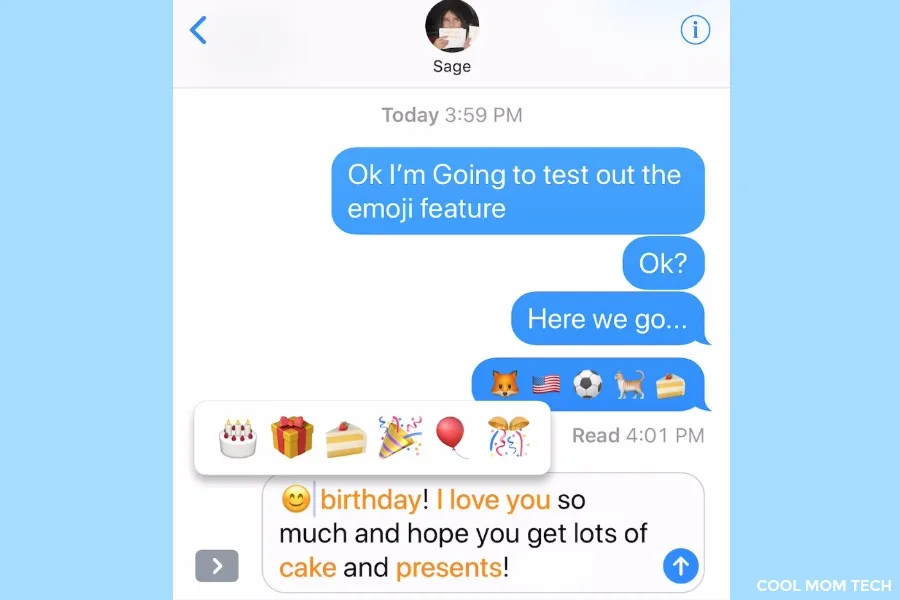
Leave it to the kids to figure out cool iPhone tricks before we do, especially where emoji are concerned. Turns out, there’s a fun way to insert emoji into your texts without toggling back and forth between keyboards — something that can be a bit of a pain, especially if you use multiple keyboards (like bitmoji or Google keyboard).
In other words, you’re going to let the iPhone do the work of finding your emoji you. Because it’s way way easier to just type panda lion fox monkey mouse and let this feature kick in, instead of individually searching for each of those teeny, tiny little animal icons.
I put together this screencast to show you how it’s done, but it’s easy!
1. Type any text into the text box.
2. After you’re done, toggle from your default keyboard the emoji keyboard.
3. Any words that are connected to an emoji will highlight in orange.
4. A pop-up will offer you a selection of emoji possibilities for highlighted words — “birthday” gives you the choice of a cake, gift, shortcake, party popper, balloon, or confetti ball emoji.
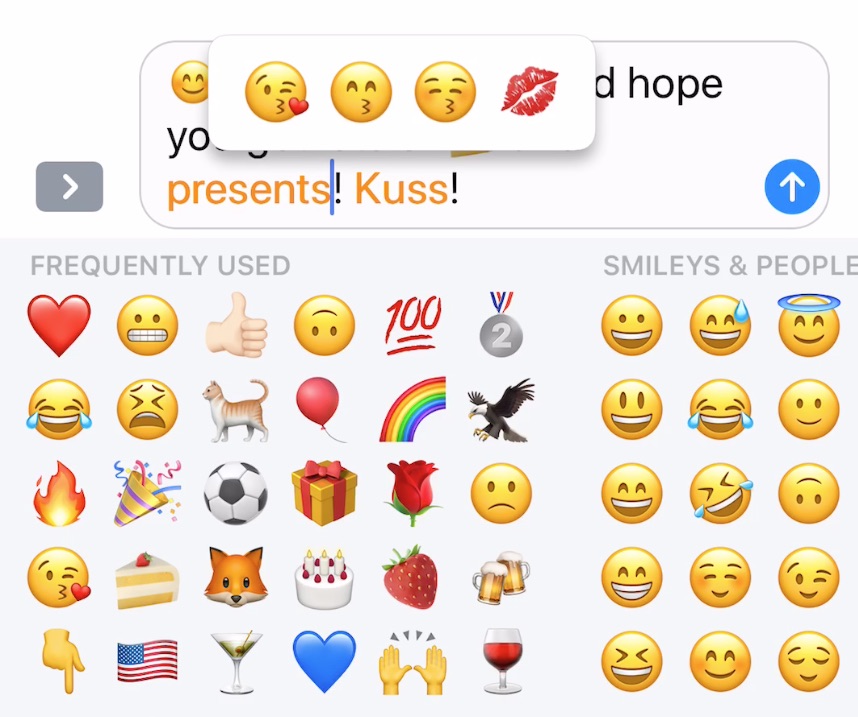
5. Bonus: The keyboard will even make suggestions on typos, which you can see here when I typed “kuss” instead of “kiss.”
If there are certain emoji you know you want to use, just type those words in directly. i.e. Sage, I love you sooooo much. Heart heart heart kiss kiss kiss. Then just follow the steps above, and let iPhone take over and convert those hearts and kisses for you, without searching for each one.
I find it’s particularly helpful when you want to use emoji that don’t come up in your frequently used collection, and don’t feel like searching for each one individually — say flags of Olympic teams you’re watching?
Because as much as I know Mr. Tonga by sight, I definitely don’t know the Tongan flag.


Leave a Reply