How to set limits for specific apps using the Screen Time app on iPhone

You’ve probably already figured out how to use the Screen Time app on iPhone to help manage your child’s screen time. Screen Time makes it easy to block and set limits on categories of apps, specific apps during Downtime, or just screen time overall, but if you want to set…

BY

·

You’ve probably already figured out how to use the Screen Time app on iPhone to help manage your child’s screen time. Screen Time makes it easy to block and set limits on categories of apps, specific apps during Downtime, or just screen time overall, but if you want to set a limit on specific apps when your kids are not in Downtime, it’s pretty tricky.

Thankfully, Lindsay, a parent in our Out Tech Your Kids Facebook Group, shared the process she discovered so we can share it with you. This way, if you want to be able to limit which apps your kids are using during their allotted screen time, you can do it pretty easily. Thanks, Lindsay!

Related: Here’s how to use the Screen Time app on iPhone 

How to set limits on specific apps on the Screen Time app 
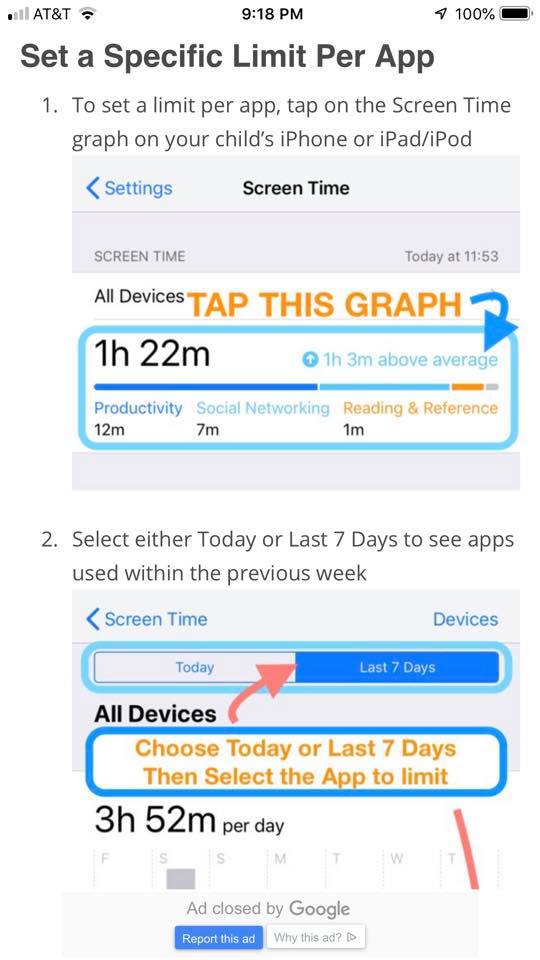
How to block specific apps using Screen Time on iPhone

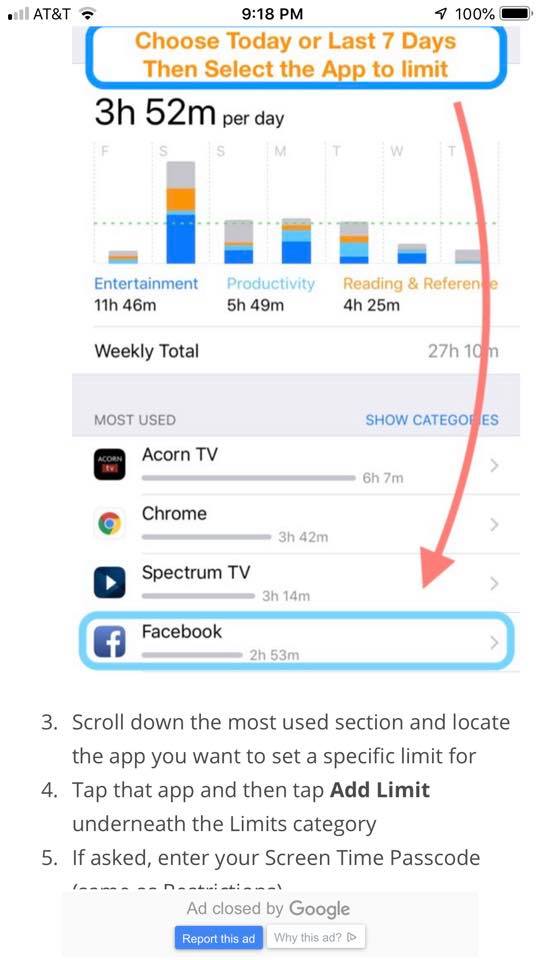
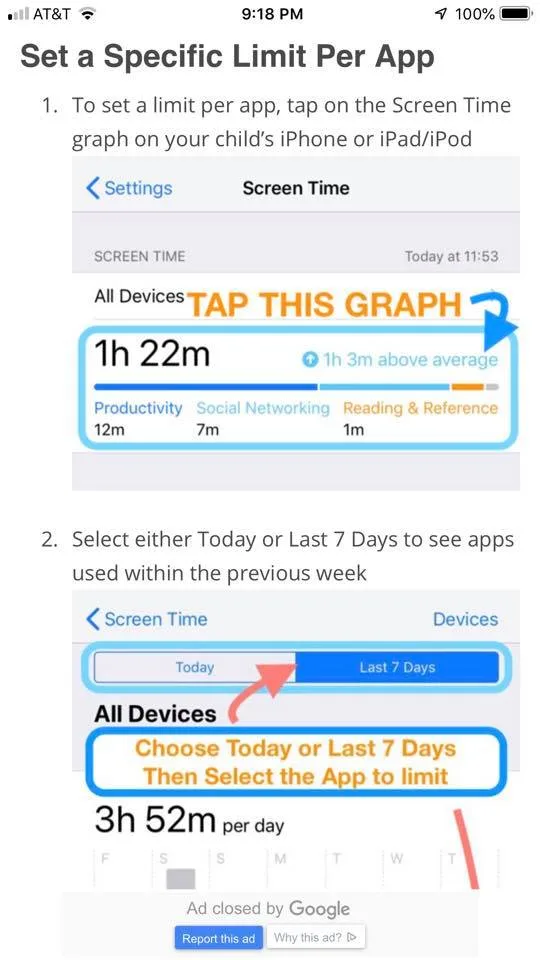
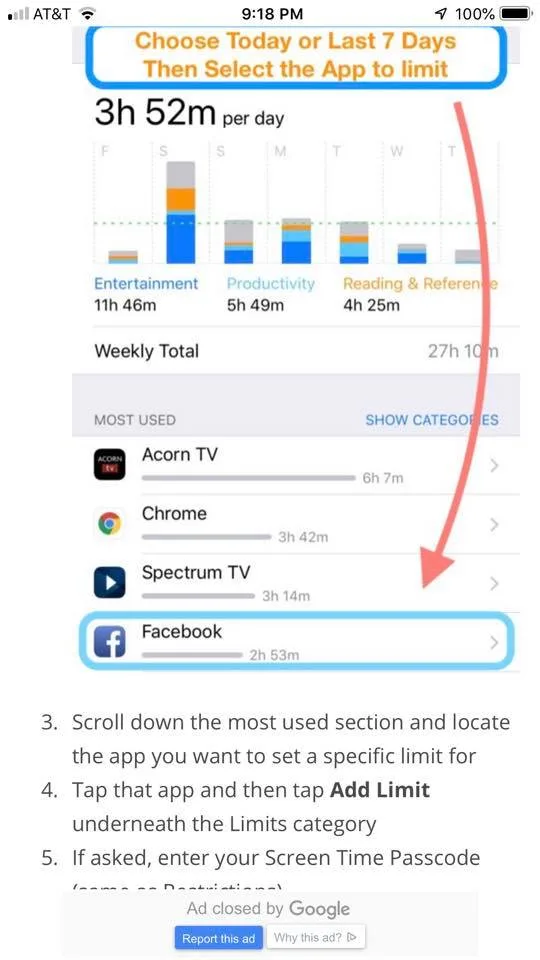
1. Once you’re in the Screen Time app (Settings > Screen Time), you’ll tap the graph, choose today (or the last 7 days), and then select the app to limit.

How to block certain apps on the iPhone with the Screen Time app

Related: What are the best screen time management strategies for parents? 

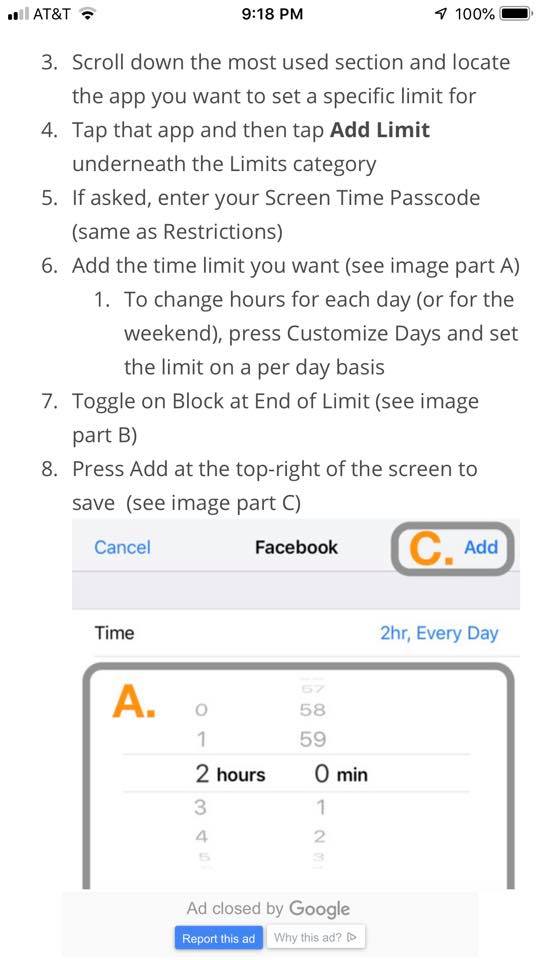
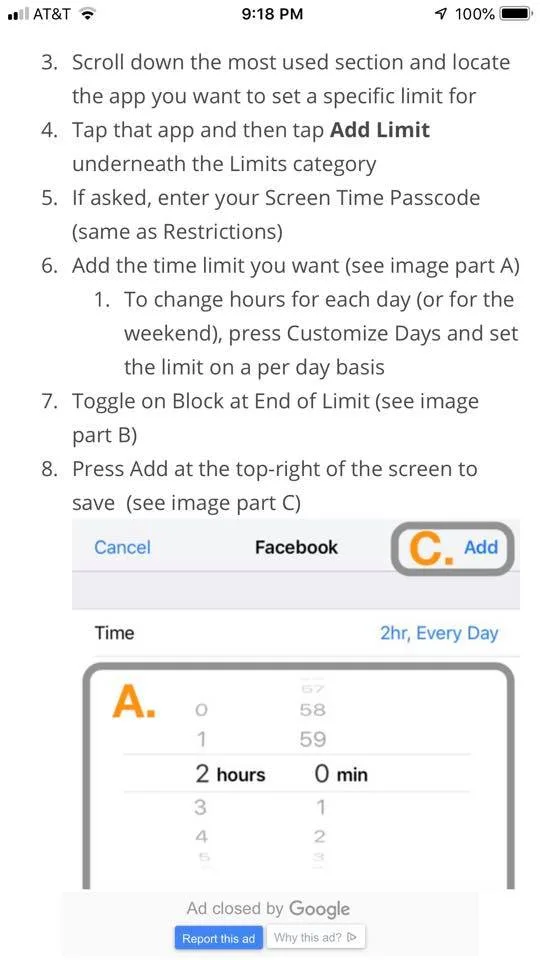
2. Tap the app you’d like to limit, then scroll all the way down to where it says “Add Limit.”

How to set time limits on specific apps using Screen Time on iPhone

3. Now you can set how long your child is able to spend on specific apps. Done!

Got more digital parenting questions? We’ve got lots of answers in our new Guide to Digital Parenting

top photo by Kelly Sikkema on Unsplash

2 responses to “How to set limits for specific apps using the Screen Time app on iPhone”

  1. This is the first piece I’ve come across that deigns to explain how this highly touted yet nearly impenetrable feature of ScreenTime works! It should not be this difficult! Thank you!

    1. Emile Toufighian

      Couldn’t an older kid just go in behind you and change the limit? Is there a password or something to prevent that? Can notifications be set up to alert me on my phone (android)?

Leave a Reply

Your email address will not be published. Required fields are marked *

Shop Related Gift Guides

Expertly tested, editor-approved picks.

View All (opens in new tab)
Wooden toys flatlay

Heirloom Wooden Toys

Shop Guide (opens in new tab)
Skincare products flatlay

The Self-Care Edit

Shop Guide (opens in new tab)
Mom and child reading

The New Mama Edit

Shop Guide (opens in new tab)

Sophistication in your inbox.

Weekly curated gift finds

Mom-tested favorites

Holiday exclusives

No spam. Ever.