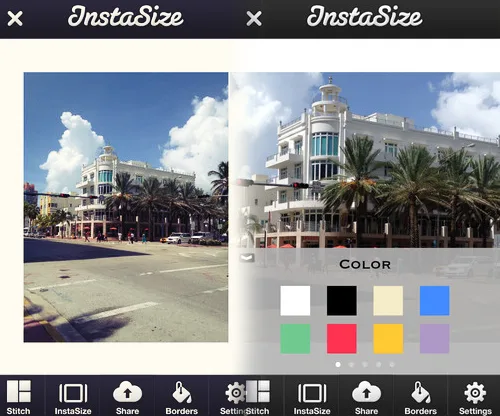
If you’re like me and have ever tried to pop that perfect picture onto Instagram only to discover it just sucks as a square, you need to try InstaSize, a cool app that will show you how to resize a photo for Instagram. Well better, it will do it for you.
Simply open this free iOS and Android app, find the picture on your camera roll and InstaSize will scale it to fit the Instagram crop. Keep in mind that when a photo is scaled down to fit, there may be some empty space on either the top and bottom or the sides, so the app gives you some fun filler choices from solids to patterns. If you want more options, you’ll need to pay for those, though we have always felt that great photos don’t need wacky backgrounds.
Related: 15 tips every Instagram user should know
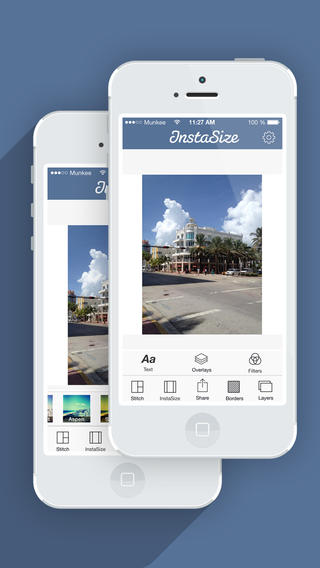
You can take and edit photos within the app using a pretty standard set of filters, stickers, and editing, add text overlays, and you’ll even find a collage tool. That can be handy if you love Instagram collage apps, but want to be able to do some editing, filtering, and yeah, collaging, all within one app.
Related: How to take better Instagram photos of kids
Note that the app is not native to Instagram, so when it’s time to share, it will send you over to Instagram for final posting (similar to editors like Snapseed or Camera+), or give you the option to share at your other spate of social networks. And you should know that this free version has ads, though they don’t really bother me at all. I’m happy just using this, ads and all, when I need a little extra help making my favorite photos more easily shareable. And not all square.
Find InstaSize for iOS at iTunes or for Android on Google Play for free, or upgrade to ad-free for $2.99.
Related: Give credit where credit is due: How to repost a photo on Instagram


Leave a Reply