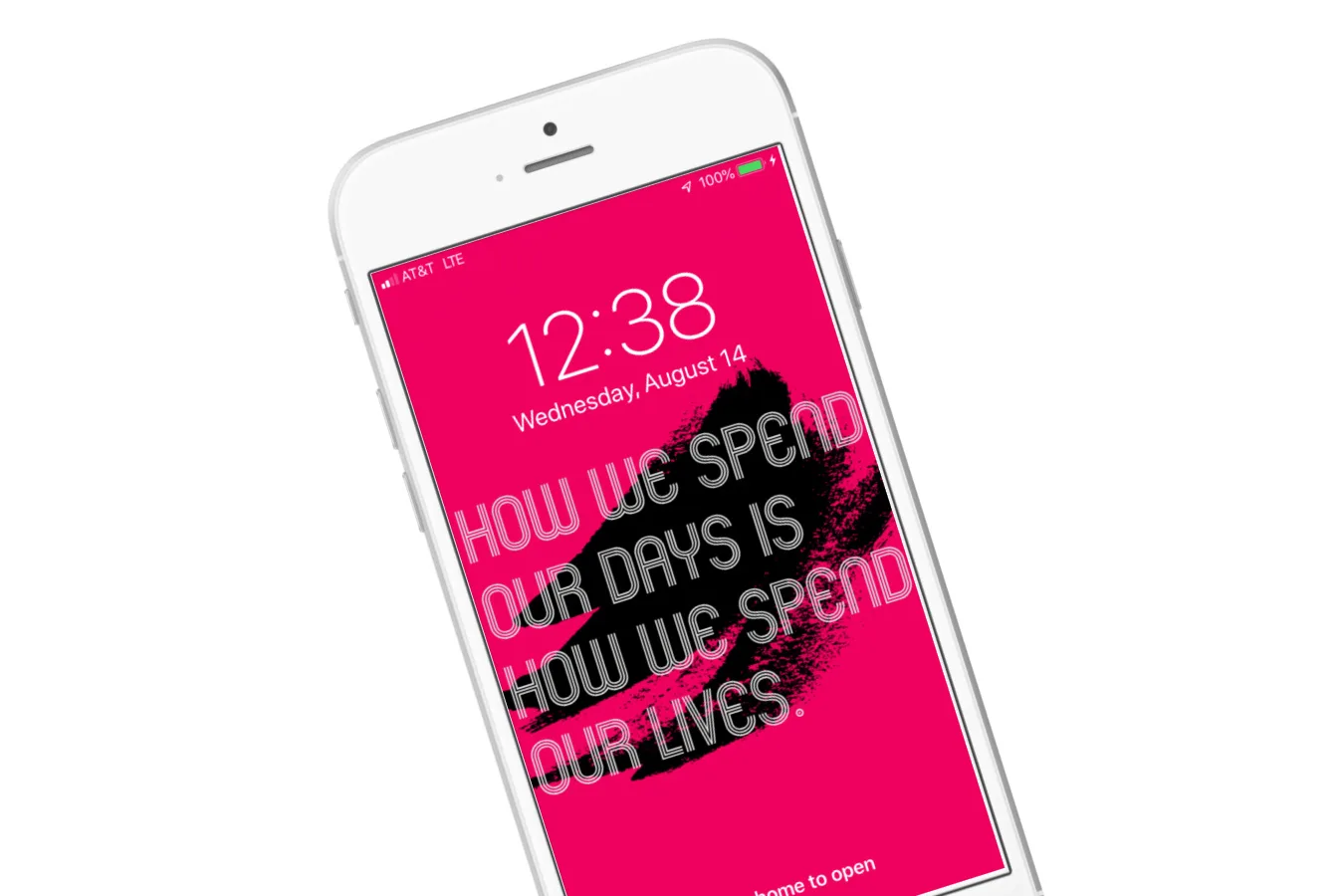
This weekend, inspired by the Cool Mom Picks book club video chat about How to Break Up with Your Phone , I decided to try one of author Catherine Price's tips to help me be more mindful about my screen time, and more aware of how much I…
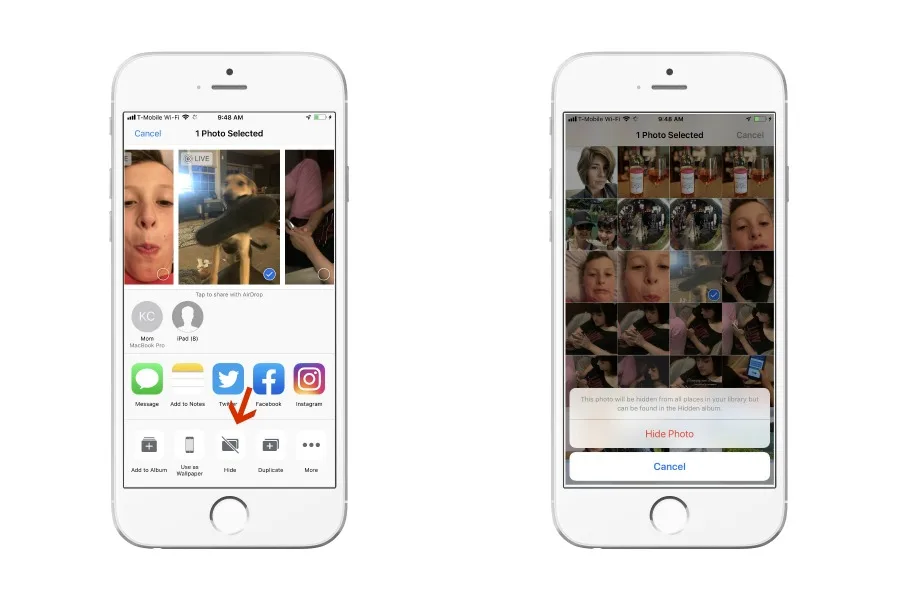
If you're like me, you've gone into your iPhone to show someone a photo, and as you scroll through the thousands of images, you realize you didn't delete those photos. Yes, you know what I'm talking about (actually, I'm talking about my …
We're thrilled to welcome a new monthly columnist, Dr. Devorah Heitner, author of Screenwise: Helping Kids Thrive and Survive in Their Digital World and the founder of Raising Digital Natives, a resource for schools and families wishing …
I've been a longtime Chrome user, but after having some functionality on a few different websites, I've decided it might be time to seek other options. And then I did a deep dive into their privacy issues , let's just say it's a very goo…
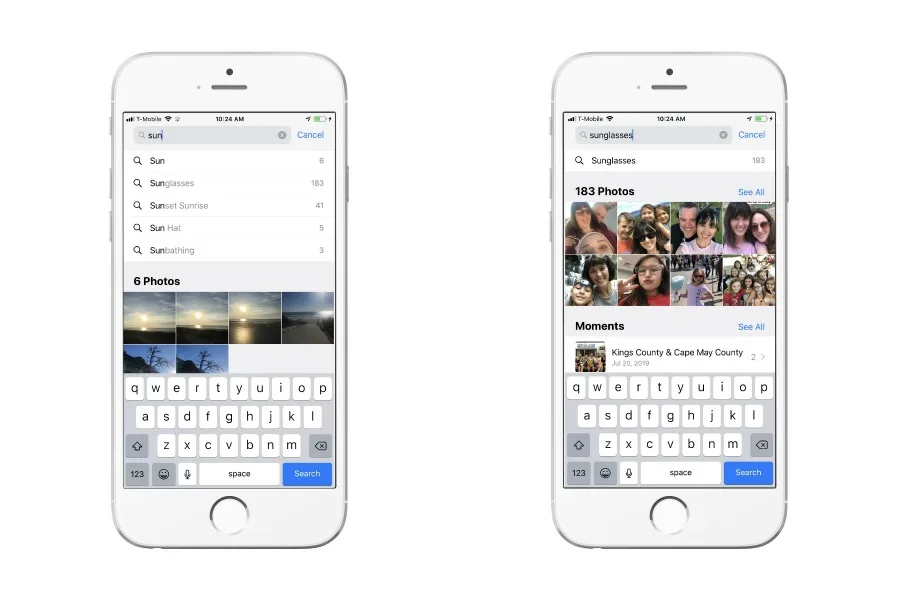
I currently have just under 12,000 photos on my iPhone. I know, I know, but when you work in social media and have four adorable children, it happens. As you might guess, even with the handy location feature, as well as moments, favorite…
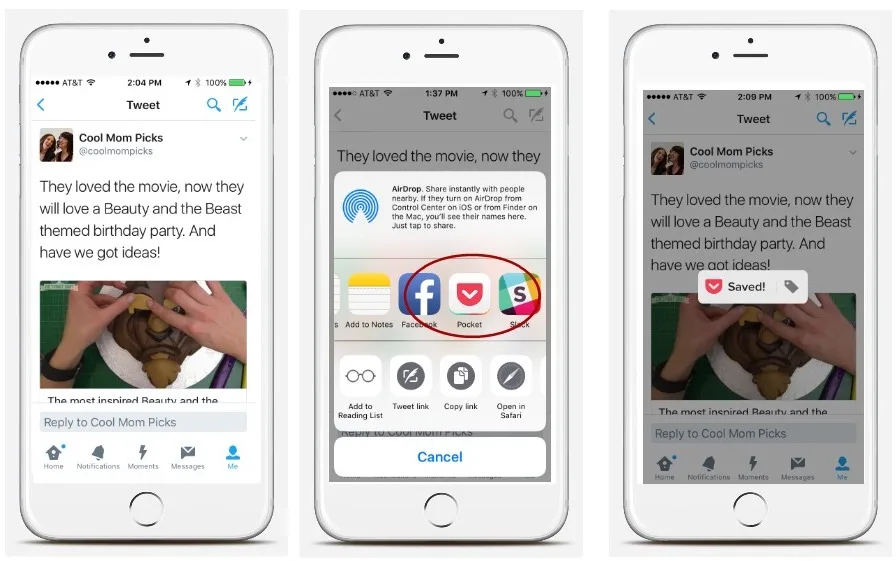
Liz has raved about the Pocket app for years now, and for good reason. It's a super handy app that lets you save your favorite articles, recipes, even tweets so that you can read them later. But, you know, how much time do we all have to…
A few weeks ago, my teenager asked me to take a few photos of her while we were visiting my son at camp in Washington D.C., but she kept moving through her poses too quickly that all I kept getting were photos of her in motion. Not so gr…
Our social media feeds are blowing up photos from the FaceApp, thanks to the new FaceApp Challenge, but is it safe? If you'e missed the buzz, this hilarious (ish) app lets you upload a photo to the app, then edits it using AI filters so …
I've written a few times here at Cool Mom Tech about my love-hate relationship with the new MacBook , particularly the butterfly keyboard. It makes typing so incredibly fast and easy, but it gets stuck very easily. And it's not just me! …
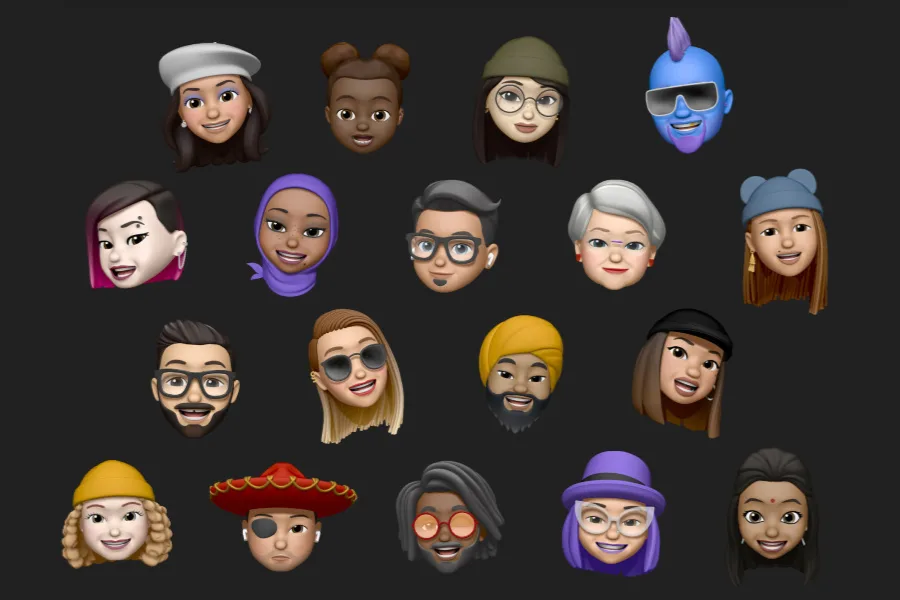
Yesterday, I spent a good two hours live tweeting the bigger Apple announcements at their 2019 developer conference that would be of interest to parents. Like, news about parental controls, photo sharing, and home security? Yes please! N…
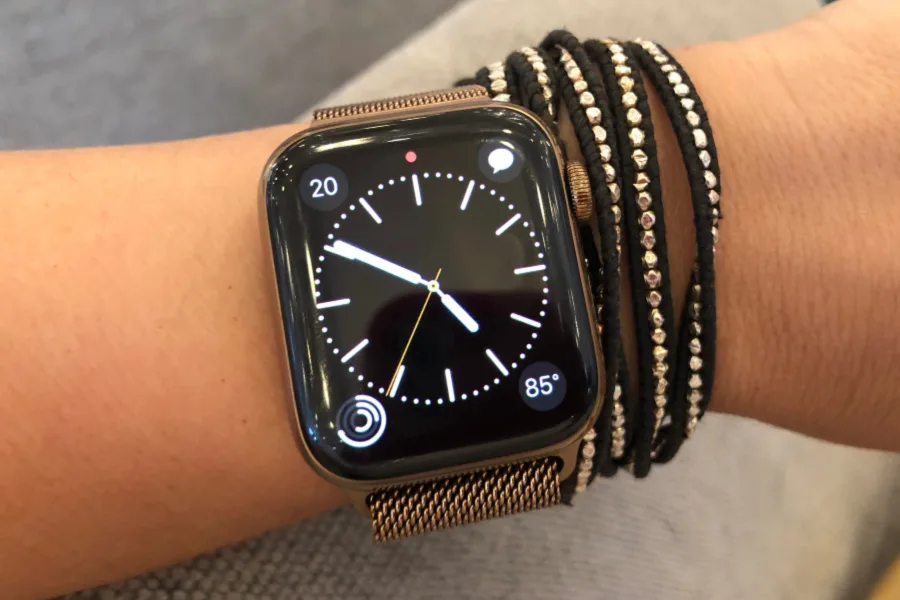
I had an original Apple Watch way back when it first came out, and I really liked it. I also ended up feeling like it was "another thing" -- another thing to charge, another thing to take care of, another thing to buy accessories for. So…
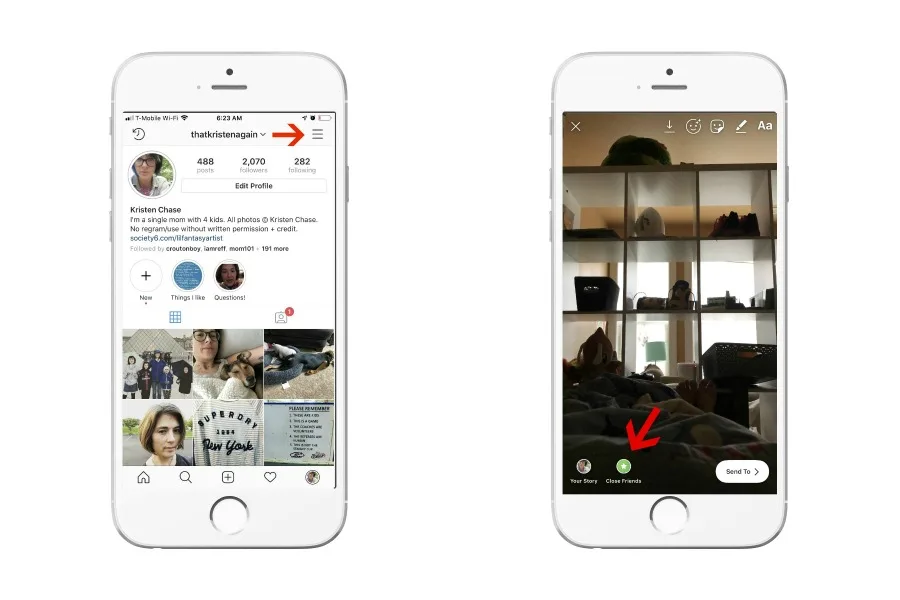
It's not just tweens and teens who might be using Finstas (Fake-Instagram accounts) to throw off their parents. We parents whose kids and their friends follow us on Instagram have probably considered using them in case we want to freely …
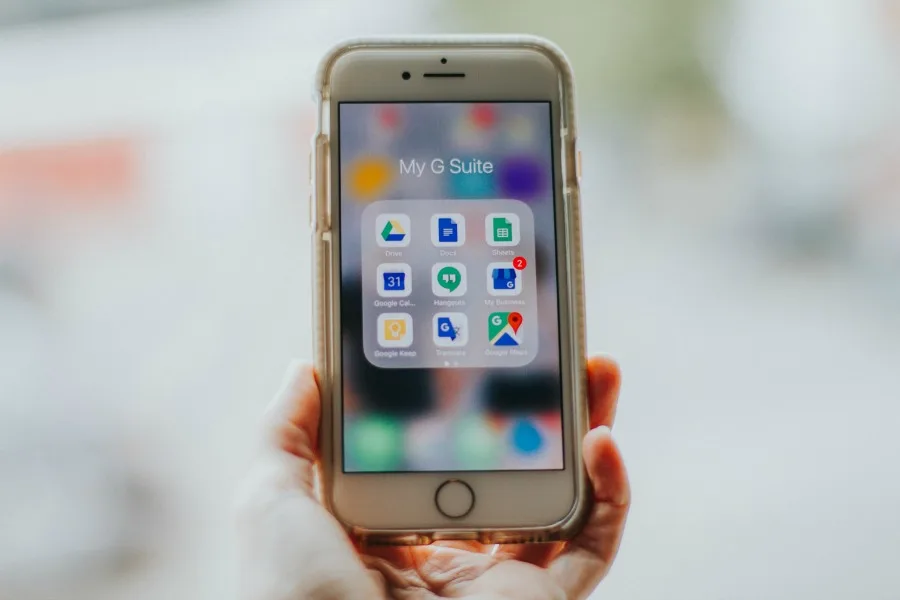
If it looks like your kids are hard at work on their laptop or Chromebook, they might actually be messaging with their friends. Turns out, tweens and teens are using Google Docs to chat with each other, and it's honestly pretty brilliant…
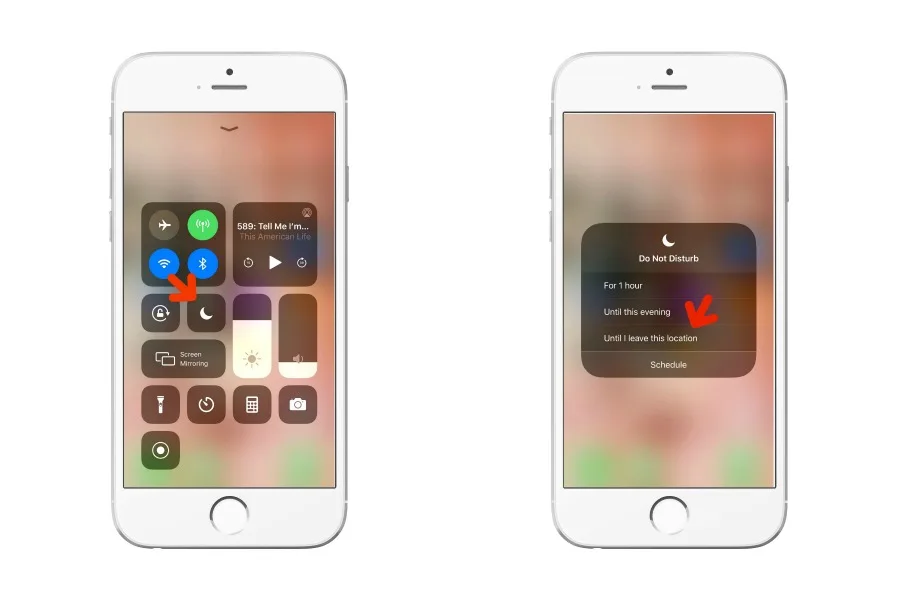
We're big fans of the Do Not Disturb feature on iPhone , which, if you're not familiar, allows you to temporarily block notifications (including texts and calls) with lots of customization too. As you can probably guess, it's perfect for…
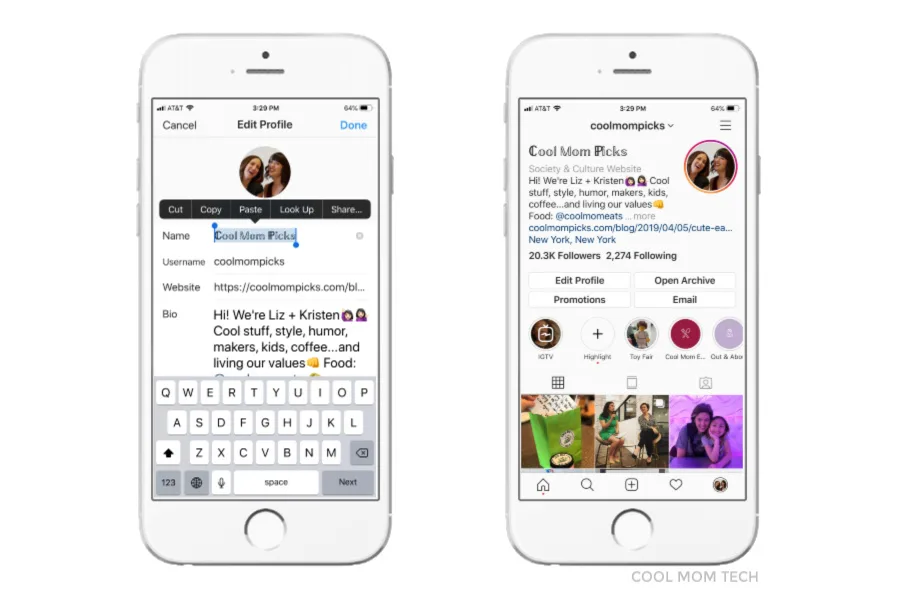
Every so often, you probably see an Instagram name that pops up in wedding script, some gothic type, or even upside down, and if you've wondered how you change the font on your Instagram bio, it's so simple! There are apps you can downlo…
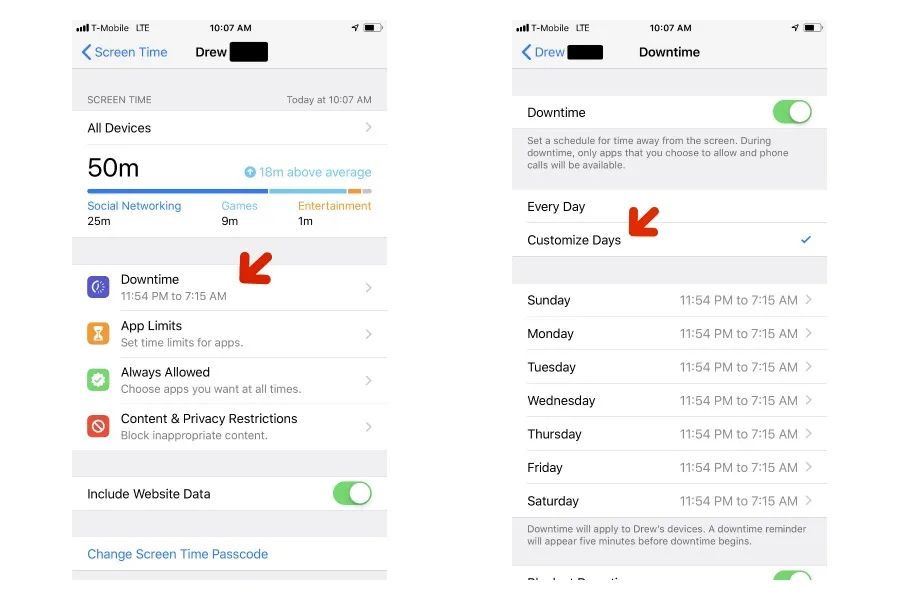
If you haven't updated to the new iOS 12.2, it's worth it just to get the new Screen Time app feature that allows you to customize your child's downtime by the day. It's pretty easy to do once you have your phone running on the new iOS. …
As someone who uses ride sharing apps like Uber and Lyft pretty frequently (and is often distracted by what's happening on my phone), I know how easy it can be to just hop in a car that pulls up in front of me without checking everything…
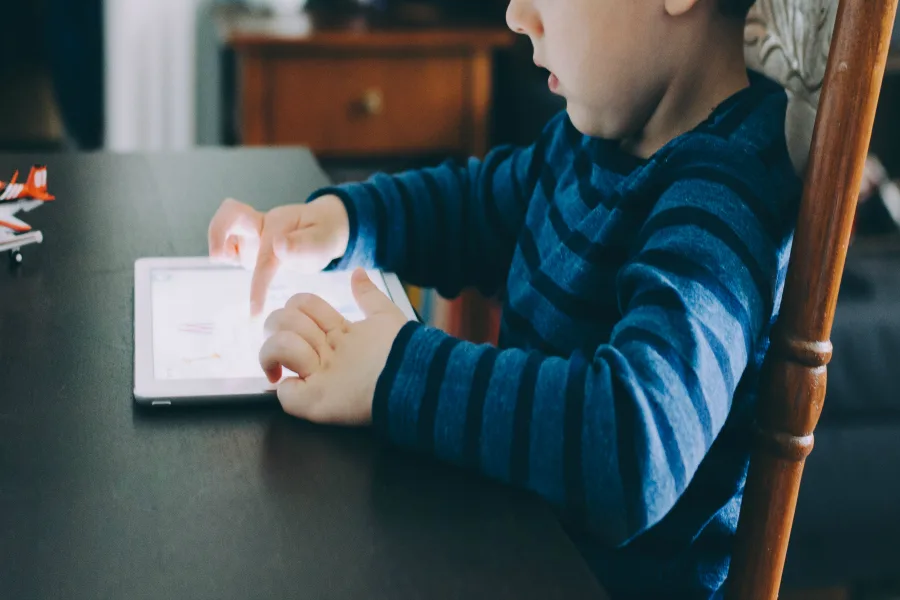
You've probably already figured out how to use the Screen Time app on iPhone to help manage your child's screen time. Screen Time makes it easy to block and set limits on categories of apps, specific apps during Downtime, or just screen …
If you're like us, it's been awhile since you've spent any time over at Google+, which is why you might want to take a peek at your content before it shutters on March 31, 2019. Keep in mind, Google+ will be deleting all posts, as well a…
I've been an Amazon Prime member for many moons now, reaping the benefits of everything from free 2-day shipping to awesome bingeworthy shows , and lots in between. If you've been holding out on an Amazon Prime membership, they've added …
We couldn't create an Ultimate Guide to Digital Parenting without including tips about how to keep your kids safe on social media. After all, for our tweens and teens, the Internet is social media, and they could sooner give up the games…
As part of our Ultimate Guide to Digital Parenting , answering parents' top questions about family technology, we're sharing the best services and tools to help you monitor your kids on their gadgets. While most routers, phones, tablets …
As part of our Ultimate Guide to Digital Parenting , we know that a top question from parents is the best way to set screen time rules when we're at home. And we've got so many helpful approaches for you! Because bringing gadgets into yo…
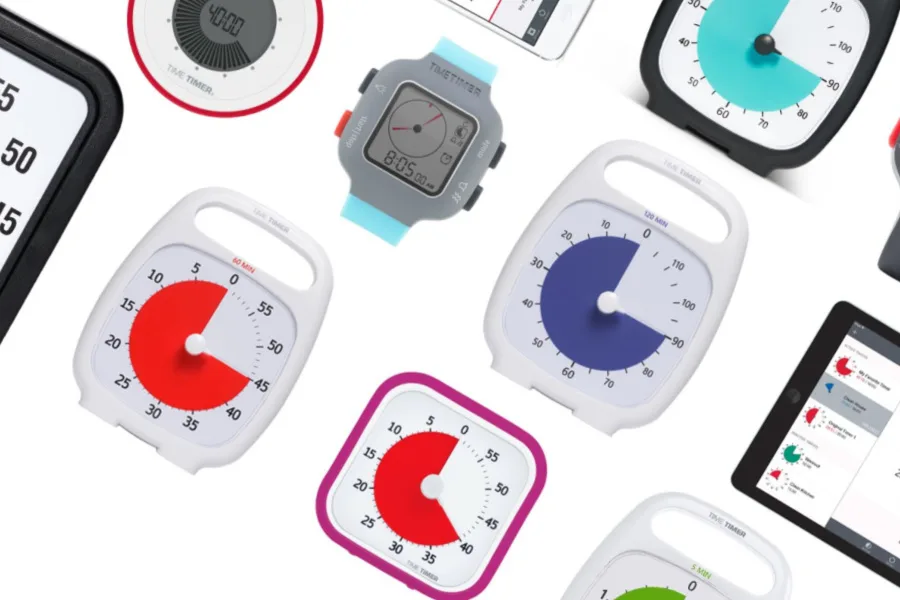
Next up in our Ultimate Guide to Digital Parenting , we tackle one of the biggest challenges parents face each day: screen time management. We know full well how hard it can be to decide how much is the right amount of time for our kids,…
 Gear + Hardware
 Tips and Tricks
 Tips and Tricks
 Tips and Tricks
 Tips and Tricks
 Uncategorized
 Tips and Tricks
 Best Apps
 Tips and Tricks
 Best Apps
 Fashion + Accessories
 Social Media
 Tips and Tricks
 Tips and Tricks
 Social Media
 Tips and Tricks
 Tips and Tricks
 Tips and Tricks
 Tips and Tricks
 Tips and Tricks
 Internet Safety
 Best Apps
 Internet Safety
 Best Apps